The Power and the Pitfalls of Generic Inquiries
Acumatica Generic Inquiries optimization is one of the most impactful steps you can take to improve ERP performance and user experience.
Generic Inquiries (GIs) are, without question, one of Acumatica’s most powerful tools. They give users the freedom to shape and access ERP data according to the real needs of their business. Without writing a single line of code, you can create customized views, filter key information, export to Excel, and feed vital dashboards.
However, this flexibility can become a double-edged sword. As your company grows and data volume increases, many GIs that once ran fast and efficiently begin to slow down, fail, or stop loading altogether. What was meant to empower users can turn into a source of frustration that delays key decisions.
In this article, we’ll explore the most common causes behind these issues and share practical best practices to help you optimize Generic Inquiries in Acumatica—transforming slow, fragile GIs into robust, high-performing data tools.
The Root Cause: Lack of Planning and Understanding
Beyond technical mistakes, most inefficient GIs share the same origin: they’re built without a clear plan and with limited knowledge of Acumatica’s data structure.
Building a GI without a plan is like trying to construct a house without blueprints—unstable by design. Before you drag your first table, you should be able to answer questions such as:
- What specific business question should this inquiry answer? It’s not “view sales,” but “view last quarter’s sales orders over $500 that are still pending shipment.”
- Who will use this GI, and which columns are truly essential? Adding fields “just in case” is one of the leading causes of performance issues.
- Do you know which tables you need and how they relate to each other?
This last point leads to another common problem: lack of knowledge. You don’t need to be a database expert—but you do need to understand where your data lives inside Acumatica.
When users don’t know which tables contain which data or how they properly relate, it often leads to:
- Choosing incorrect tables
- Creating joins that multiply data exponentially
- Filtering on non-indexed fields, resulting in long load times
This initial lack of strategy lays the foundation for all the issues that follow.
Why Your GI Fails: Common Headaches and Real-World Symptoms
If you’re reading this, you’ve likely experienced at least one (if not all) of these frustrations:
The Endless Loading Screen or “Timeouts”
A GI that handled 9,000 customers suddenly stops loading, showing “request entity too large” or timeout errors. What seemed like a simple query becomes unusable.
Duplicate Records Explosion
When joining tables, a single missing condition can multiply rows exponentially. A query that should return 100 records ends up processing 100,000, bringing the system to its knees.
Inconsistent Results
Two GIs that matched perfectly for months suddenly show different totals. Often, they use slightly different tables. When a new transaction type (like a new adjustment class) appears, one GI captures it and the other doesn’t—creating silent discrepancies that are hard to trace.
Empty or “Phantom” Results
A GI works fine in the test environment but returns nothing in production. This often happens due to missing company or tenant-level security filters.
These failures have direct consequences: users lose trust, reports take too long to generate, and teams become overly dependent on developers for tasks that should be simple.
The Golden Rules for Fast, Scalable GIs
Most of these issues can be avoided by applying a few simple yet powerful principles. Think of them not as strict rules but as smart design habits.
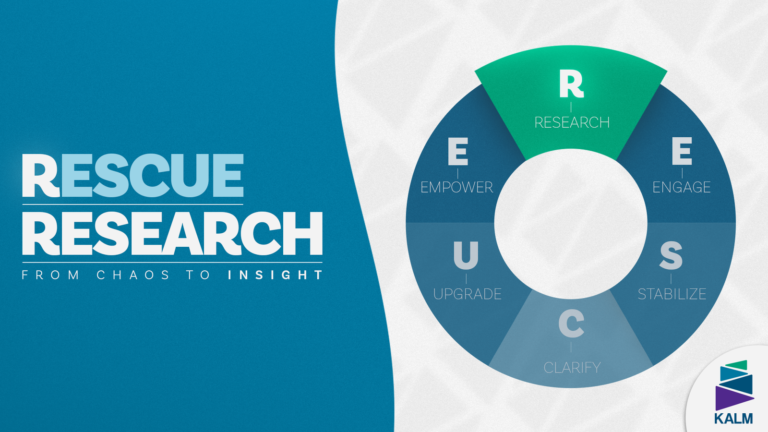
A robust GI doesn’t start in the designer—it starts with solid research.
1. Research Your Data: Become a Data Detective
Before dragging any tables, you must know exactly where your data lives. Guessing table or field names is a recipe for disaster. Acumatica provides two key tools to help you:
Inspect Element (Ctrl + Alt + Click) – Your go-to field tool. On any Acumatica screen, hold Ctrl + Alt and click the field you’re interested in. A window will pop up showing the exact table (DAC) and field name. It’s the fastest way to go from “I need this data” to “It’s in SOOrder.CuryOrderTotal.”
DAC Schema Browser – Your treasure map. This internal tool shows the full structure of every table, its fields, and—most importantly—the correct keys for joining tables. Checking this before you build relationships ensures you use the joins Acumatica was designed for.
2. Always Filter — and Filter First
Never leave a GI “open” to the entire database. Define filters early using the Conditions tab. Narrow the dataset by date range, status (“Open,” “Pending”), branch, or other criteria.
Key takeaway: Force the system to work with manageable subsets of data from the start.
3. Create Smart, Minimal Joins
Each join in the Relations tab adds cost. Don’t include tables “just in case.”
- Join only what’s essential—for example, link Customer only if you need the customer name.
- Filter within relationships—apply conditions directly in joins (e.g., join only customers with status = “Active”).
- Understand your join types—know when to use Inner, Left, or Right. The wrong choice can break your results or duplicate data.
4. Leverage Database Indexes
When filtering or joining, make sure fields are indexed. An index works like a book index—it lets the database find data instantly instead of scanning the whole table.
Example: If you filter by SOOrder.OrderDate, ensure that OrderDate is indexed. Using non-indexed fields for filters or joins is one of the top causes of slow performance.
5. Keep It Simple: Avoid Complex Calculations
Avoid nested functions, custom fields, or user-defined formulas (like =IIF(...)) in joins or filters. These disable indexing and force the database to process row by row—slowing performance drastically.
6. Test, Measure, and Optimize
Never publish a GI to production without testing it on realistic data.
- Monitor load times: If slow, disable joins or fields one by one to find the bottleneck.
- Scale testing: Run the query with 100, then 10,000, then 100,000 records. If performance doesn’t scale linearly, optimization is needed.
Case Study: “Pending Approval Orders” GI
Imagine you need a simple report showing sales orders pending approval.
The Inefficient Approach (All Too Common)
- Base table: SOOrder
- Joins: Customer, SOOrderLine, InventoryItem, Address
- Output: 20 columns from all joined tables
- Filters: None—user filters manually
Result: A bloated query joining five tables, fetching thousands of unnecessary records just to filter later.
The Optimized Approach (Applying the Rules)
- Base table: SOOrder
- Conditions (first step!):
- SOOrder.Status = ‘PendingApproval’
- SOOrder.OrderDate >= @StartDate (optional parameter)
- SOOrder.CompanyID = @CompanyID (essential for security)
- Joins: Only Customer for customer name—no extra tables.
- Results: Key fields only—OrderNbr, CustomerID (and name), OrderDate, Status, CuryOrderTotal.
- Testing: Validate load time in test environment.
Result: A lightweight, fast, and precise GI that delivers exactly what’s needed.
Turning Frustration Into Insight: Building GIs That Empower, Not Burden
Acumatica Generic Inquiries optimization isn’t just about speed — it’s about trust, accuracy, and decision-making power. Generic Inquiries are designed to give you autonomy and control over your data. But when performance degrades, that freedom becomes a constraint.
By applying these best practices—filter first, join with purpose, leverage indexes, keep it simple, and test rigorously—you stop fighting the tool and make it work for you.
Optimizing GIs from the beginning doesn’t just prevent frustration—it ensures your Acumatica system remains a reliable, high-performance source of truth that delivers fast, accurate insights when you need them most.
At KALM Consulting, we help companies transform their data experience by optimizing Acumatica’s Generic Inquiries for scalability, speed, and clarity.
👉 Book a free 30-minute consultation with our experts and discover how we can help you fine-tune your Acumatica environment for peak performance.